From source to verified behavior

The workflow

Six connected phases, with engineering judgement throughout. Understand the sources, connect the data, apply standards, review decisions, generate outputs, and validate the results.

Traceability stays with every phase. Existing projects can enter at the stage they need.

Understand sources

Give AI the same project context your engineers use.

Bring in P&IDs, instrument lists, spreadsheets, HMI displays, existing PLC and HMI code, and controller exports. Whether a project begins with documents, code, or both, Relay Control reads the available structure so the team can work directly from the source.

Source context includes documents, code, and controller exports.

Inputs
Project documents and code
Outputs
Identified equipment and source structure

Engineer decisionConfirm source context and extraction scope.

Document Viewer: Transfer station P&ID
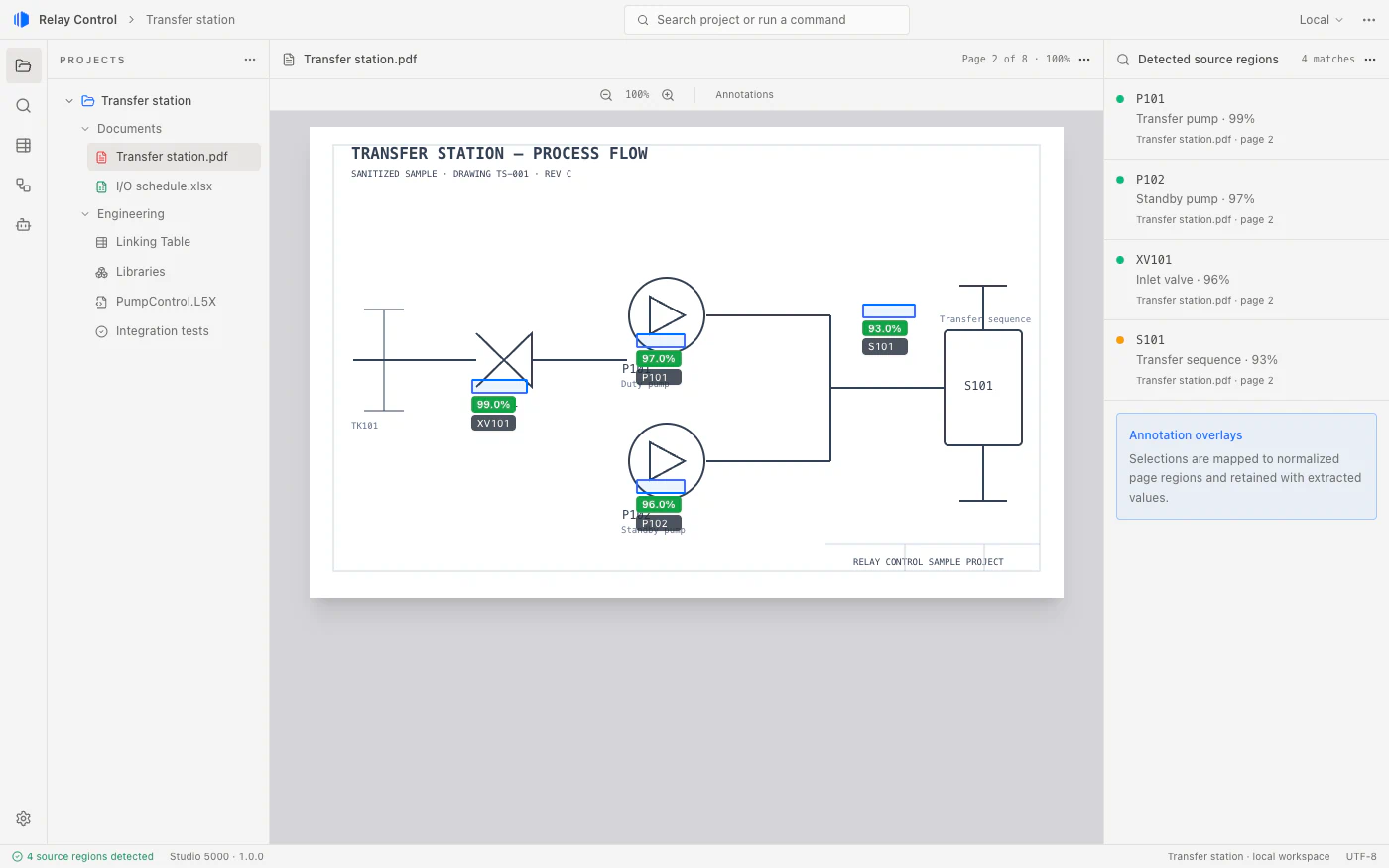
Relay Control document viewer showing a synthetic Transfer station P&ID with annotation overlays identifying P101 and its source region.

Connect engineering data

Connect engineering data without losing the evidence.

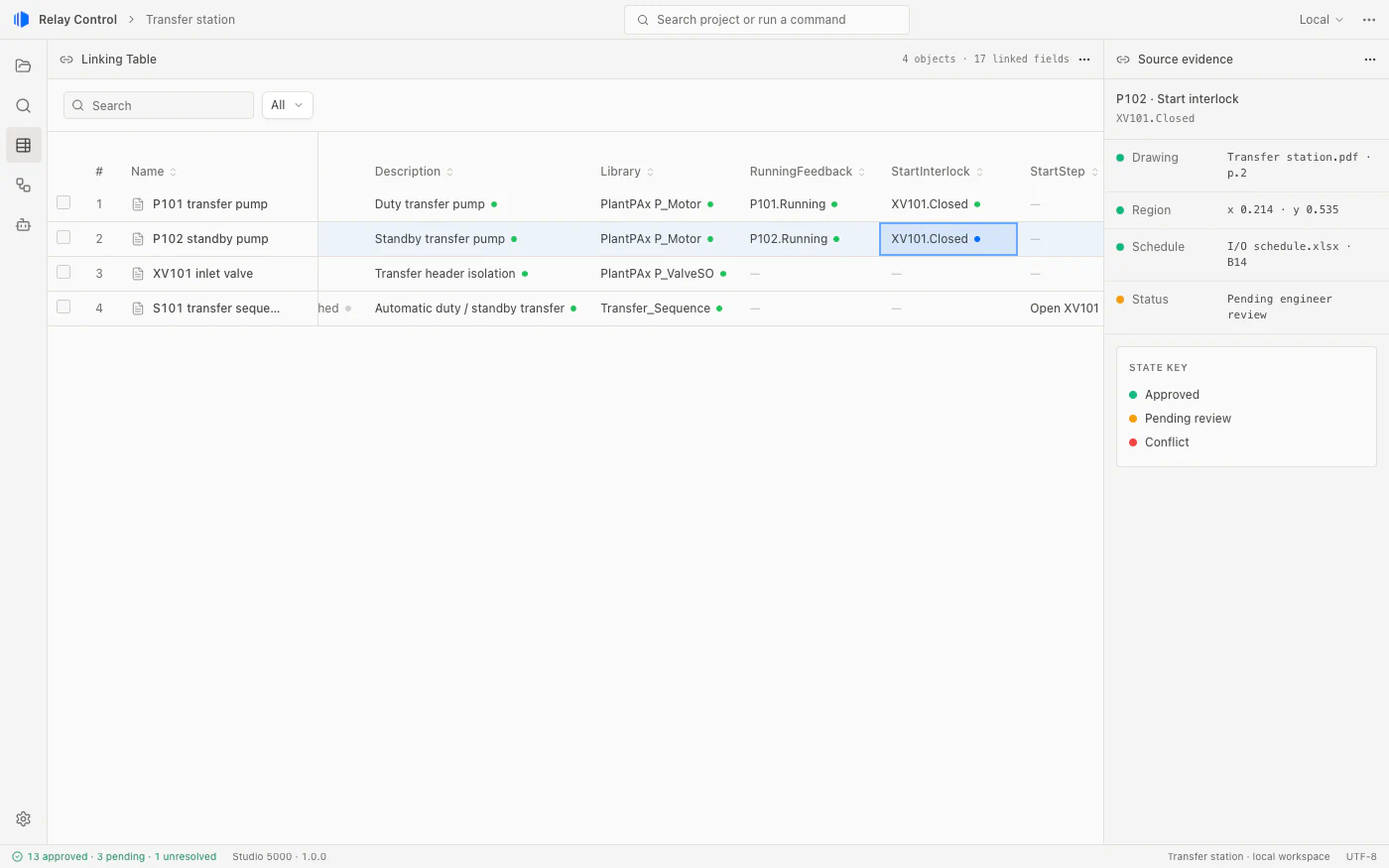
AI helps identify the same equipment, tag, value, or control concept across documents and existing code. Every proposed match carries the cell, table, page region, tag, routine, or code reference that produced it.

Every proposed connection retains its source evidence.

Inputs
Source references
Outputs
Proposed links with evidence

Engineer decisionInspect ambiguous relationships.

Linking Table: P101
Relay Control Linking Table for P101 showing approved and pending fields with their document and spreadsheet source evidence.

Apply engineering standards

Apply your team’s approved engineering standards.

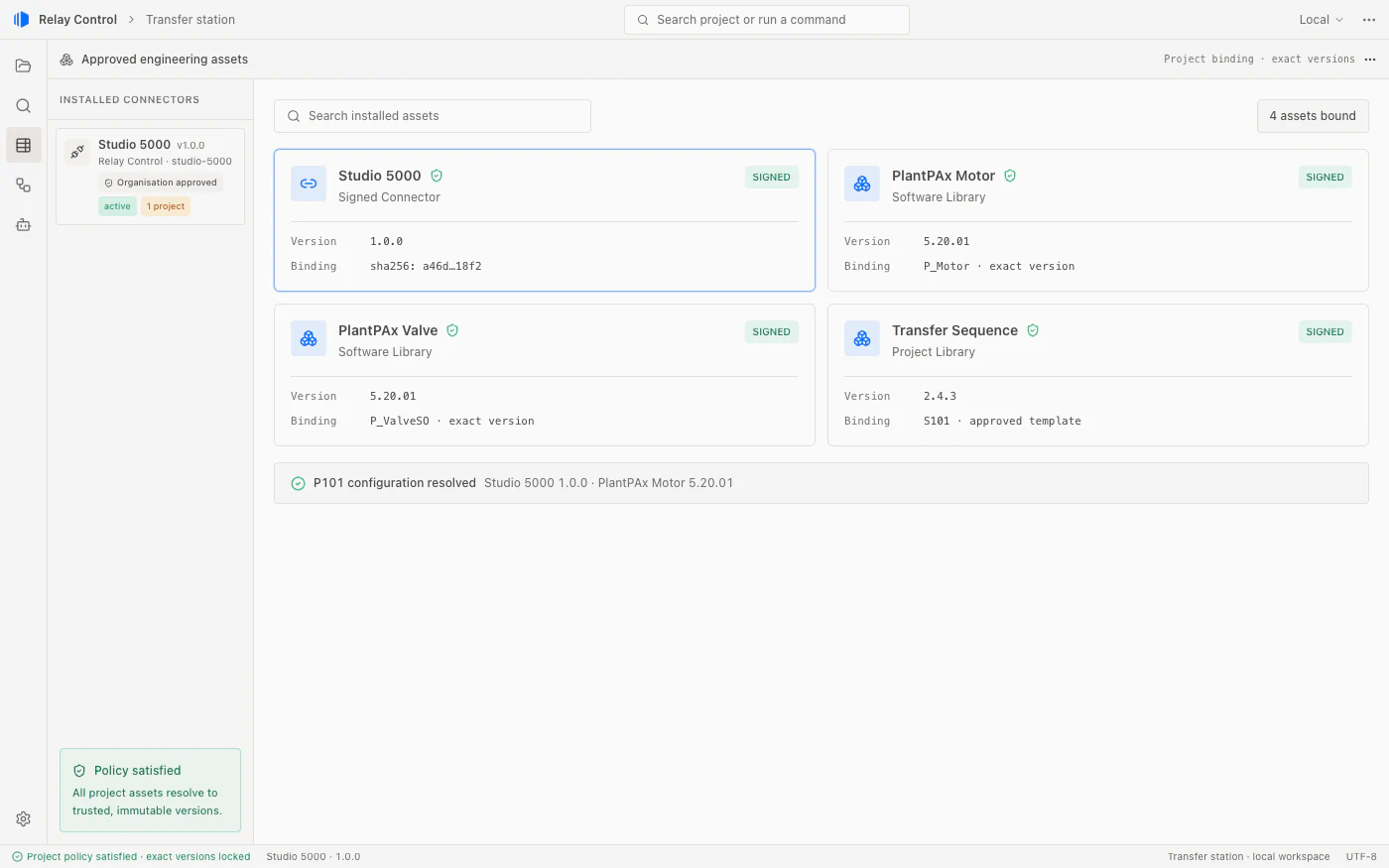
Select approved modules, existing code patterns, and templates that fit the project. Signed Connectors are bound to an exact version, so the team can review which engineering assets and operations it is using.

Signed Connectors with exact-version locks per project.

Inputs
Linked data and approved assets
Outputs
Module selection and configuration

Engineer decisionConfirm applicability and versions.

Approved assets: P101
Relay Control Connector and software library view showing signed engineering assets locked to exact versions for P101.

Review and approve

Turn proposals into engineering decisions.

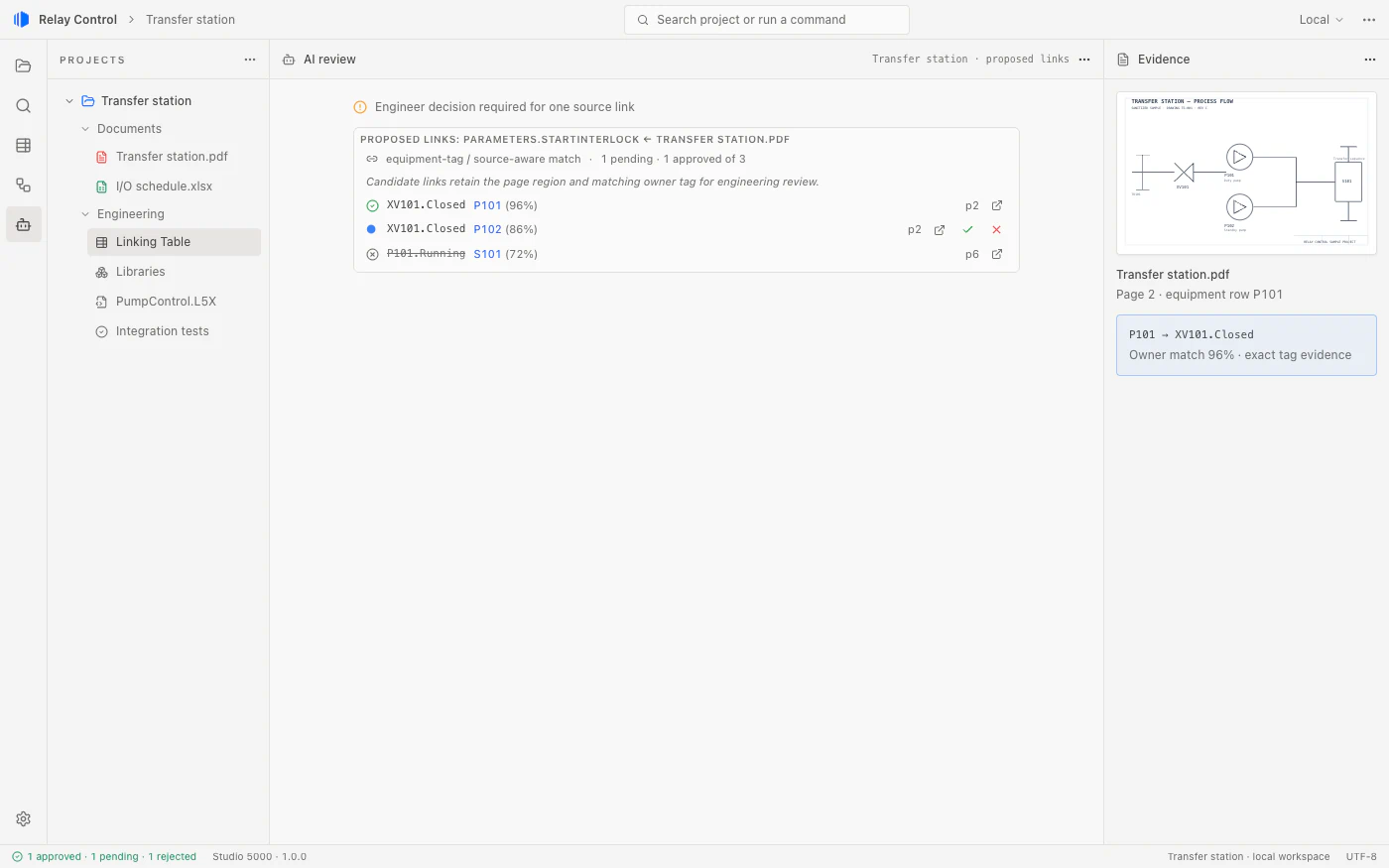
Inspect the proposed connections and configuration alongside the selected modules and source evidence. Engineers approve, reject, or request a correction. Conflicts stay visible until they are resolved.

Pending, approved, and conflicting items remain distinct.

Inputs
Proposals and configurations
Outputs
Accepted decisions and unresolved issues

Engineer decisionApprove, reject, or request correction.

Review: P101 proposals
Relay Control pending-link review for P101 with approval controls, confidence, and the source evidence behind each proposal.

Generate outputs

Generate consistent outputs with their sources attached.

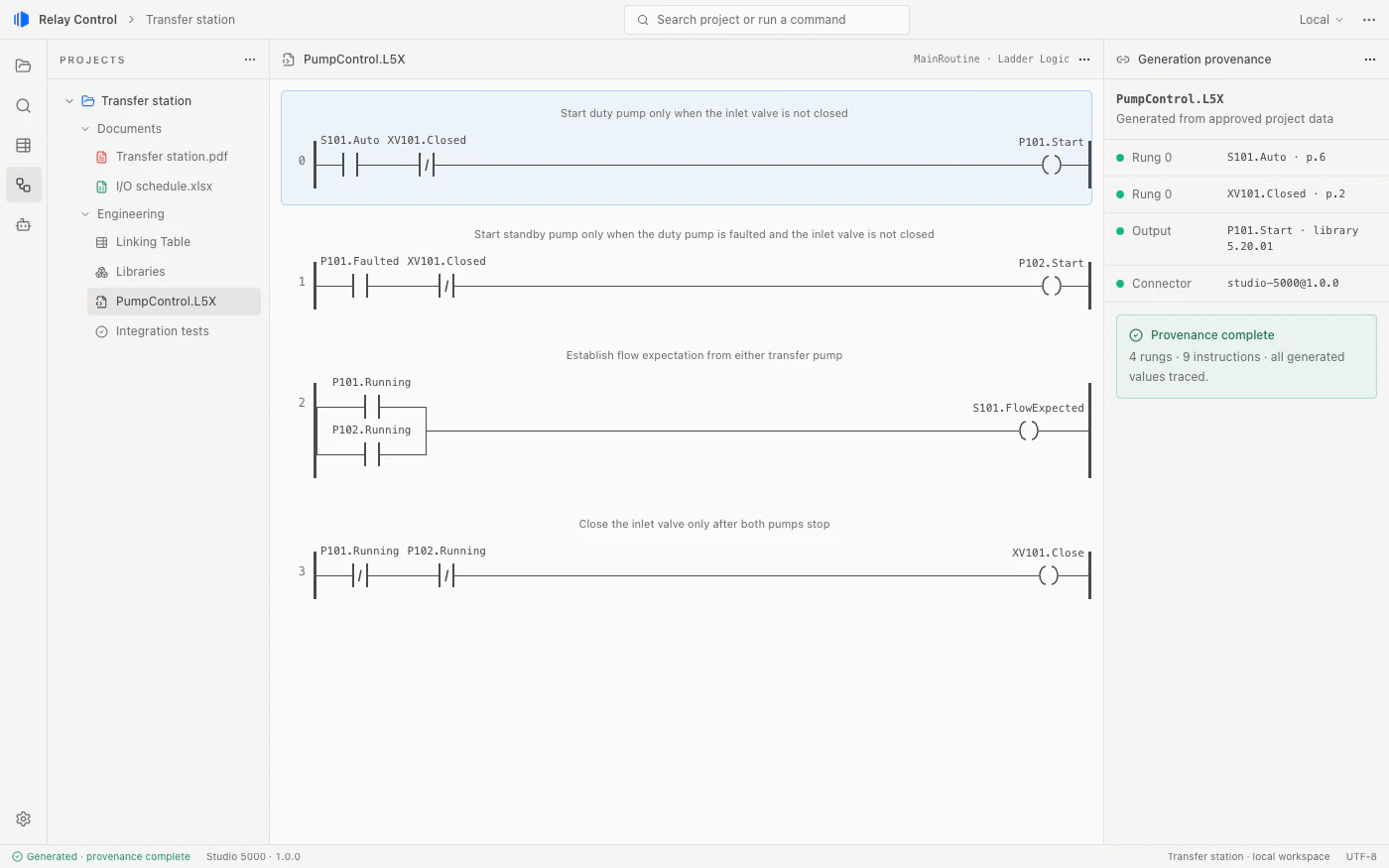
Create vendor artifacts for Studio 5000 and TIA Portal from approved project data and reusable code. Keep generated values connected to their source locations, so engineers can inspect what changed and why.

Generated values retain their source references.

Inputs
Approved configuration
Outputs
Generated artifacts and source references

Engineer decisionInspect generated changes.

Generated artifacts: PumpControl
Relay Control controller-code view showing generated PumpControl logic with source provenance tracing values back to P101.

Test and validate

Check behavior against the requirements.

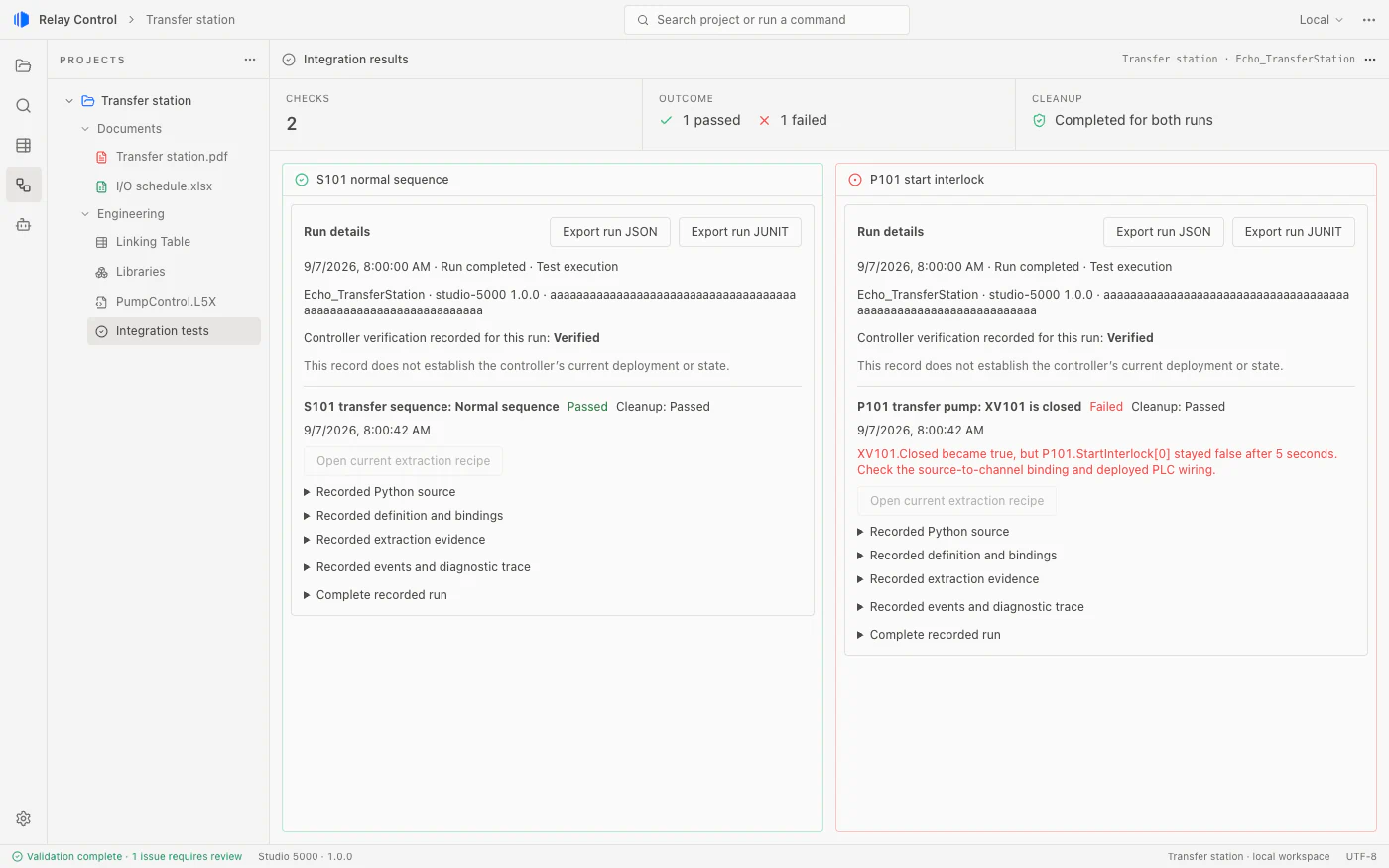
Define checks from engineering requirements, run them against supported simulator setups, and compare expected behavior with observed results. Review failures, cleanup status, and source evidence before accepting the outputs.

Assertion results and cleanup evidence are reviewed separately.

Inputs
Test definitions and prepared simulator
Outputs
Results, diagnostics, and cleanup evidence

Engineer decisionResolve failures and accept results.

Simulator execution uses an already deployed supported instance on Windows: FactoryTalk Logix Echo or S7-PLCSIM Advanced.

Integration results: Transfer station
Relay Control validation results for the Transfer station showing passing and failing checks alongside completed cleanup status.

Ready to transform your workflow?

Download Relay Control and start building control systems you can trust.

Download Relay Control